It’s published by the leader of the Chinese game market NetEase in China.

As we all know,UU booster could be used to low ping,which is developed and published by NetEase.However,it seems like not helpful as before.
In contrast,Lonlife Booster (Or Lonlife Online Game Ping Accelerator) works well for WC3 CN players as lonlife could low ping to about 200ms.
Many pro WC3 players are satisfied with lonlife and recommend their friends or fans to use lonlife.
players could cut off latency with lonlife on WC3 NetEase DZ client.
Here is a guide on How To Get Lower ping in Warcraft 3 CN with Lonlife from anywhere.
Part 1.How To Register,Download & Install Warcraft 3 CN
Step 1.WC3 Account Creation
One NetEase account could get access to all of games of NetEase.
Click here to Sign up an account like following:
 Registration Guide: http://dz.163.com/minisite/guide/login
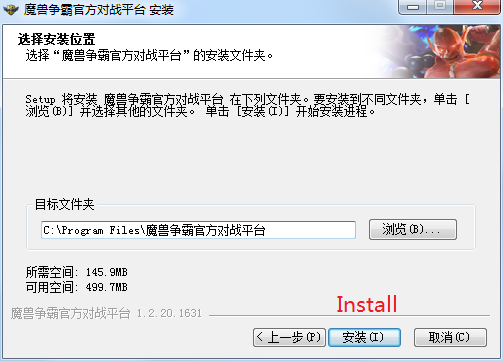
Step 2.Download and Install WC3 CN DZ client
Head to NetEase official site to download WC3 CN DZ client.
 Installation Tutorial: http://dz.163.com/minisite/guide
Step 3.LOGIN
Set up WC3 CN DZ client after installation finished,and login with created account.
Player could see Lonlife besides UU.


Player could see Lonlife besides UU.Just click Lonlife icon would be headed to Lonlife official site.
Part 2.How To Get Lower ping in Warcraft 3 CN.
After clicked Lonlife icon on WC3 CN DZ client,players could get more infor about lonlife.
Step 1.Register Lonlife
Step 2.Download and Install lonlife
Step 3.Top Up lonlife
Easy to create an account,download and install cause lonlife supports English.
Step 4.Reduce ping
①LOGIN lonlife client

②Add Warcraft III Battle Platform(WC3 CN DZ)
 ③Start Lower Ping

 Then,what players need to do is launch Warcraft III Battle Platform and it’ll automatically be accelerated by Lonlife.
 Regardless of whatever the ping actually is,Lonlife can give WC3 players an incredibly smooth and stable connection even during peak times.
Happy Gaming!